
Market check
Compare one listing with top Etsy competitors and get a market fit score out of 100.
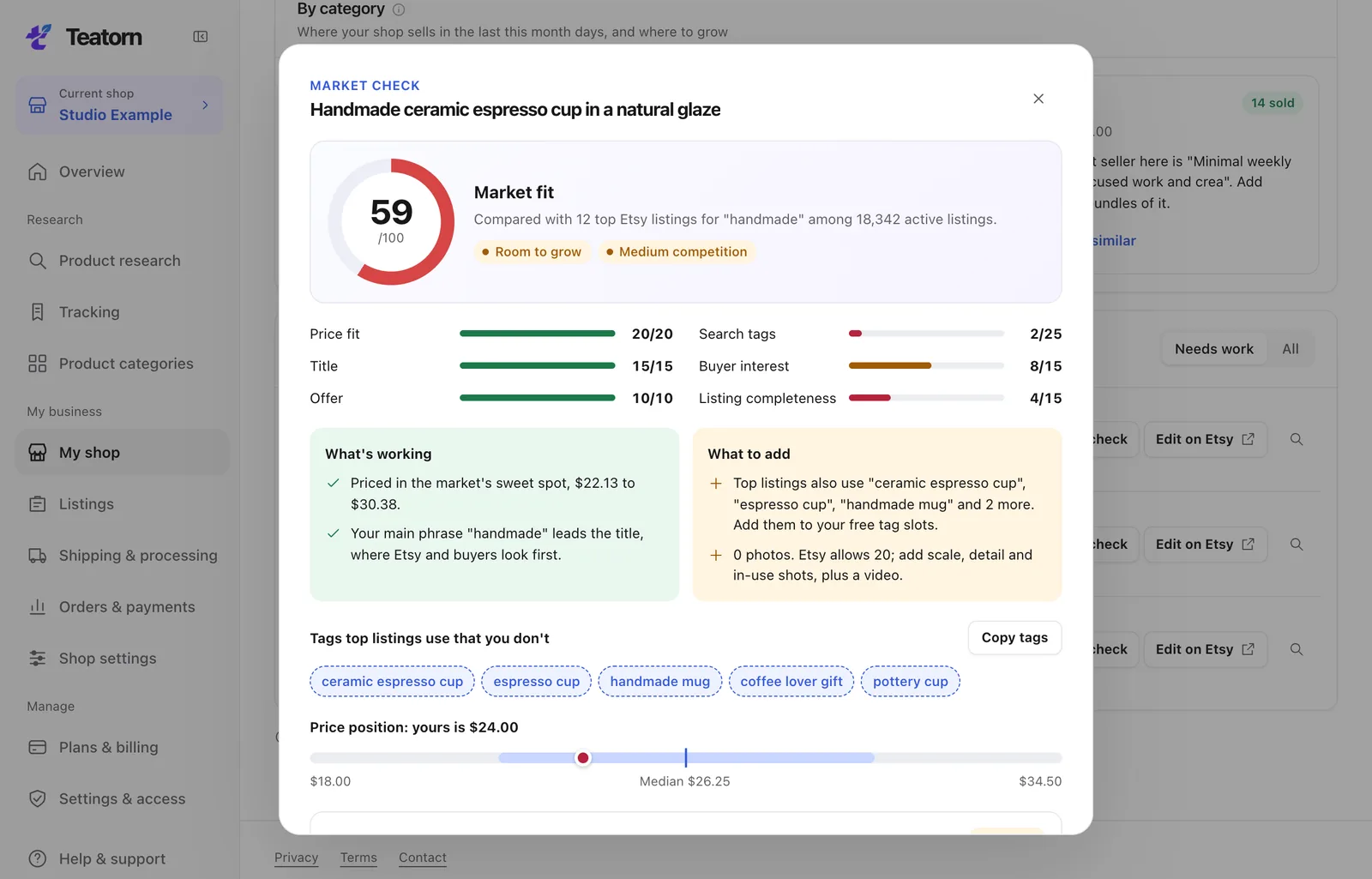
Run a check
- Open My shop, then Next steps.
- In the Listing checklist, choose Market check on a listing.
- Teatorn searches live Etsy listings for the listing's most specific title phrase, in its category, and compares them.
Market fit score
| Factor | Points | What earns them |
|---|---|---|
| Price fit | 20 | Price inside the middle half of competitor prices |
| Search tags | 25 | Using the tags top listings share, and all 13 tags |
| Title | 15 | Main phrase in the first 40 characters and a title as detailed as competitors' |
| Buyer interest | 15 | Favorites per month at or above competitors |
| Offer | 10 | Personalization and options when most competitors offer them |
| Listing completeness | 15 | 13 tags and 10 or more photos |
80 and above is a Strong contender, 60 to 79 Competitive, 40 to 59 Room to grow, below 40 Needs work. Competition is Low under 10,000 active listings, Medium up to 100,000 and High above.
Reading the results
- What's working and What to add list concrete strengths and fixes with numbers.
- Tags top listings use that you don't: copy them with one click.
- Price position: the market range, its middle band, the median and your price.
- Top competing listings and Research this market for a deeper look.
Etsy Ads readiness
A listing is Ready to advertise when it scores 70 or more, its price fits the market, and it has at least 5 photos and 10 tags. Otherwise fix the gaps first, so the clicks you pay for are more likely to become orders.
Etsy doesn't share Etsy Ads data with apps, so Teatorn can't tell whether a listing is already advertised. Check it in Shop Manager under Marketing, then Etsy Ads.
Scores are guidance from public listing data, not a guarantee of sales. Each check uses one or two product research searches from your hourly allowance.