
Connecting your Etsy shop
Link your shop securely through Etsy's own sign-in to see orders, listings and next steps.
Connecting a shop lets Teatorn read your shop's listings, orders and settings so it can show your performance and recommendations. You can connect more than one shop if your plan allows it.
How to connect
- Verify your email address first (Settings & access shows its status).
- Open My shop and choose Connect Etsy shop.
- Etsy opens its own sign-in page. Sign in to Etsy and review the access Teatorn asks for.
- Choose Allow access. Etsy returns you to Teatorn and your shop appears in My shop.
Teatorn never sees your Etsy password. You sign in on Etsy's page, and Etsy gives Teatorn a secure access key that you can revoke at any time.
What Teatorn can see
- Your shop profile, listings, inventory, shipping profiles and shop settings.
- Your orders and payments, to calculate revenue, units sold and best sellers. Buyer names, emails and addresses are not shown.
Several shops
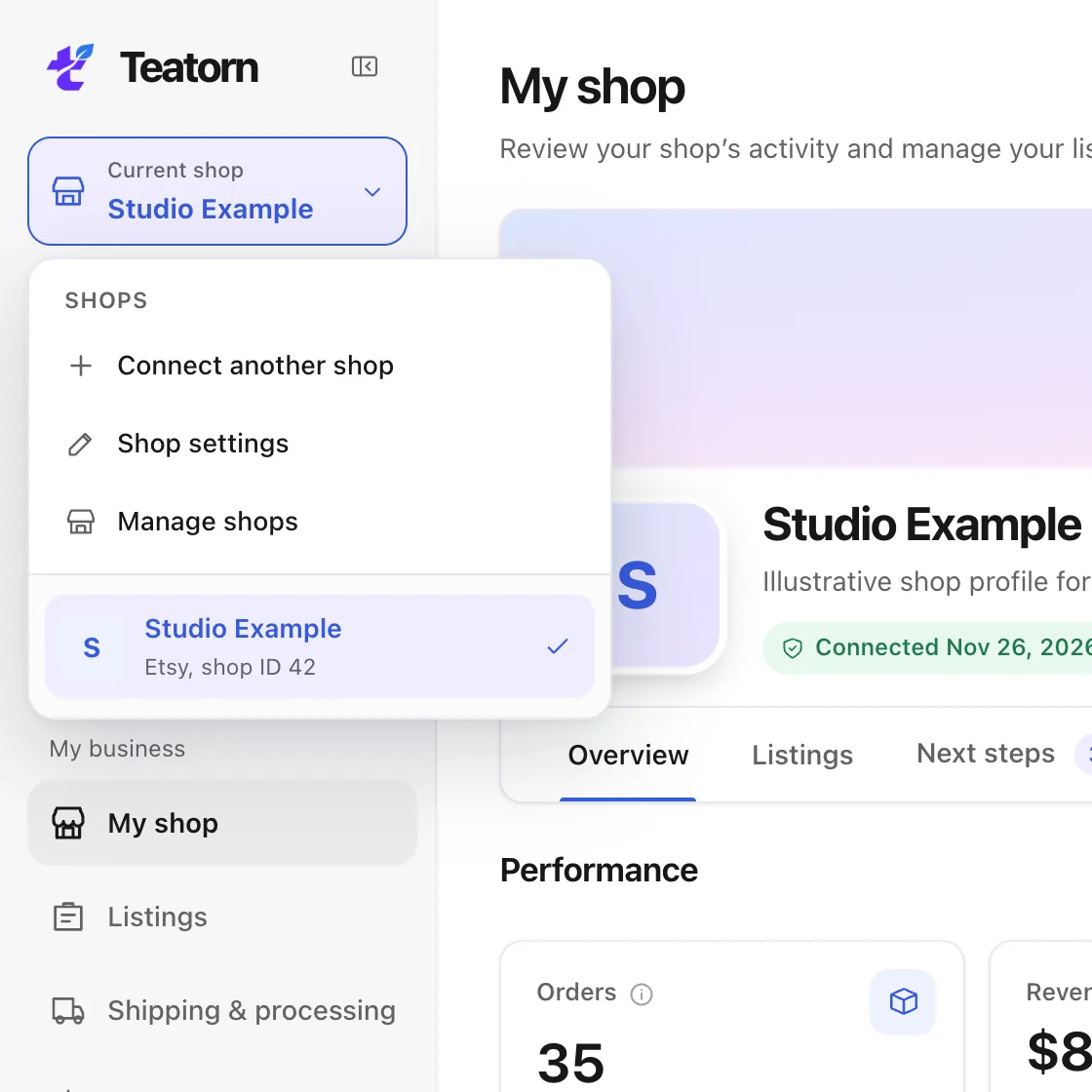
Use the Current shop card at the top of the sidebar to switch shops, search your shops, connect another shop or open Manage shops. Every page follows the shop you choose.
Disconnecting a shop
- Open My shop.
- Choose the disconnect icon next to Refresh in the shop header.
- Confirm. Teatorn deletes the stored access for that shop. Your Etsy shop and listings are not affected.
You can also remove Teatorn's access from your Etsy account settings at any time.
Plan limits
Each plan allows a number of connected shops: Starter 1, Growth 3, Studio 10. The sidebar shows how many you are using.